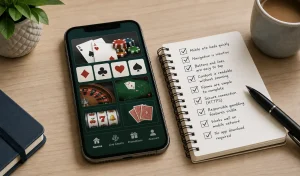

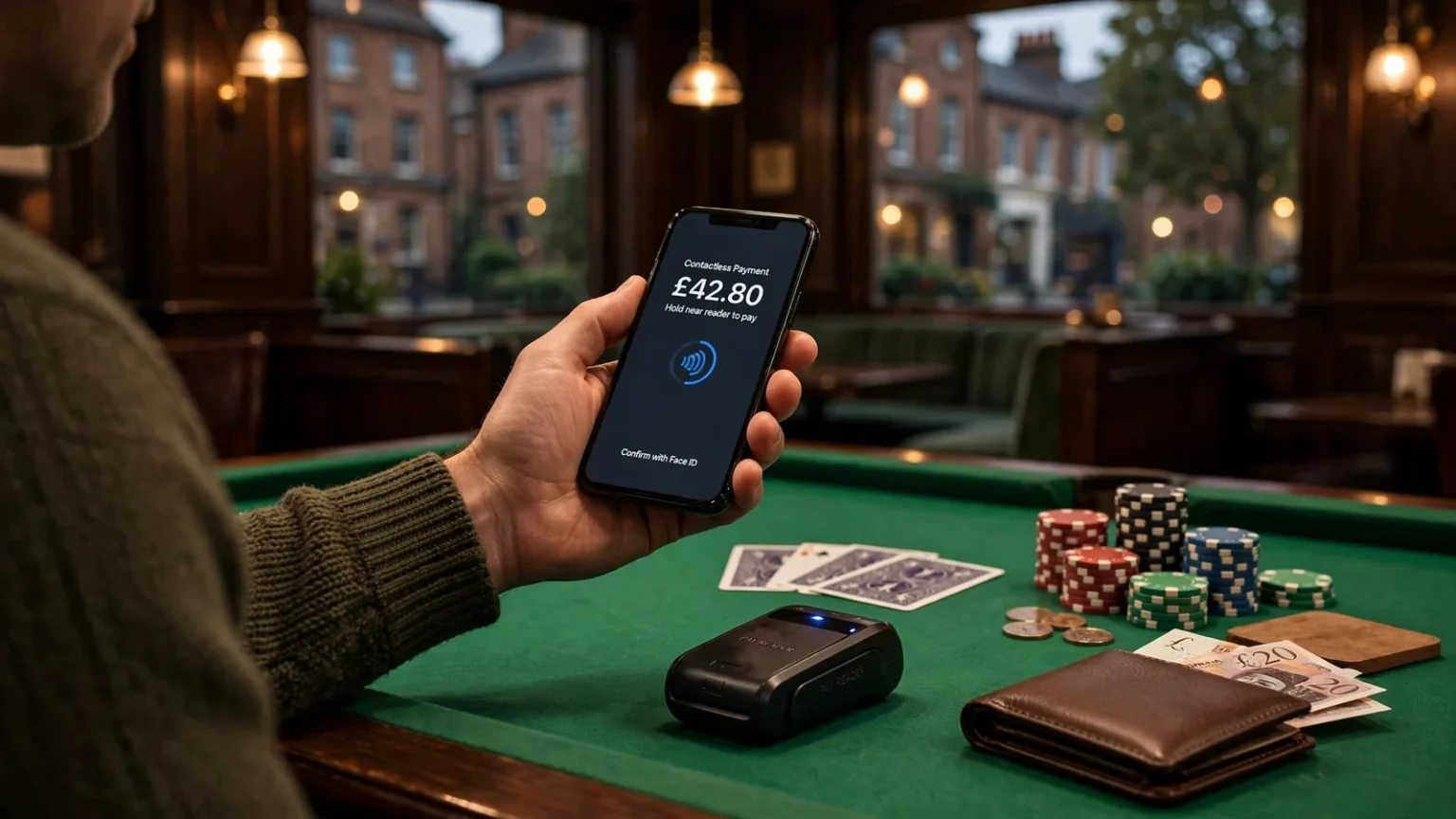
Mobile deposits depend on casino support, phone-bill terms and the withdrawal route available after payment.
The payment rules that matter before you deposit
Before choosing a payment option, separate two things that can sound similar: paying with a debit card and paying with a credit card. The UK rule is clear on the latter. A remote gambling operator covered by the Gambling Commission’s rules cannot accept a credit-card payment for gambling, including when the payment is routed through a money service business. Sending the funds through another payment provider does not make credit-card gambling deposits acceptable.
That distinction matters when a cashier shows several ways to fund an account. A debit card is not a credit card, but the name on the option alone does not tell you which card or account will work. Use a payment source that belongs to you, and do not try to route borrowed credit into a gambling account through an intermediary. I would not treat a payment label as a clever workaround. It is a good way to end up with a declined transaction or an account problem.
The legal boundary sits alongside the operator’s own rules. Real-money casinos serving people in Great Britain must hold a UKGC licence, and online gambling is legal here at licensed sites for adults aged 18 and over. That does not mean every cashier offers the same methods, or that a payment option shown in an old review is still available. Availability is an operator decision that can change. The practical check is the cashier attached to the account you intend to use.
Mobile billing or debit card?
Pay by mobile appeals for a straightforward reason: it lets you make a casino deposit through a mobile payment option rather than entering card details at that moment. Payforit is one name you may see in this context. But it is not a universal alternative to a debit card; a casino has to offer it, and the payment method must suit your account and circumstances.
iPad Casinos in the UK: Payments and Withdrawals
Debit cards can be a more practical starting point if you want a method with broader reported acceptance. A specialist review describes debit-card deposits at UK casinos as free and more widely accepted than Payforit. Treat that as a comparison reported by that type of review, not a promise about every operator. Check the live cashier for the casino you are considering, and read any displayed conditions before confirming a deposit.
There is a trade-off. Pay by mobile may be useful if you specifically want a phone-based deposit, while a debit card may be more useful when you want a method that the review describes as more widely accepted. Neither choice makes a casino “instant” in every sense, and a deposit method does not establish what happens when you later want to withdraw. I have learned not to read a payment logo as a full account of how money moves. It is only one part of the decision.
A search for a new mobile casino that accepts SMS payments can also blur two separate questions: whether you can play on a phone, and whether you can pay through your phone. A casino website may work on a mobile device without offering Payforit or another pay-by-mobile method. Conversely, a payment option being mentioned somewhere does not establish that it is currently available to every account. Keep those questions apart; it saves you from choosing a casino for a feature it may not actually provide.
A quick check before you fund an account
I would check the basics before putting any money in:
- Is the operator licensed by the UK Gambling Commission for the service it offers to Great Britain customers?
- Is the option you want shown in the account’s current cashier, rather than only in an old review or a search result?
- Are you using a debit card or another permitted source, rather than trying to fund gambling with a credit card through a payment intermediary?
- Have you considered a financial limit before making your first deposit?
That last point is not just a nice extra. New remote customers must be prompted to consider setting a financial limit before their first deposit, and account-level limit tools must remain accessible afterwards. I would pause if you cannot find the prompt or the account controls. A payment method can make depositing feel simple; it should not make you skip deciding what you can afford.
Also be wary of claims that a casino offers deposits with no checks, no conditions or no minimum. A payment method does not prove that an operator will waive account requirements, and the cashier’s current terms are what matter for that account. A “frictionless” label is still a sales phrase, not a guarantee. Check first, then decide whether the method fits.
For pay by mobile casinos in the UK in 2026, the useful starting point is not a promise that one method is best. It is knowing the firm line on credit cards, understanding that debit cards and phone-based payments are different options, and confirming what the casino actually accepts. No workaround. No guesswork.
Credit Card Ban
A remote gambling operator covered by the Gambling Commission cannot accept credit-card payments for gambling, even if routed through a money service business.
How a Payforit deposit works on your phone
Payforit is a pay-by-mobile option built around your mobile number and an SMS confirmation. The transaction is designed to be completed on a phone, and the method is generally aimed at mobile players rather than people making a deposit from a desktop computer. That distinction matters: using a mobile casino website on a laptop is not the same as making a Payforit deposit through your phone.
The basic sequence is straightforward. You choose Payforit at the casino’s deposit screen, enter your mobile number, receive a text containing a confirmation code, then submit that code to approve the transaction. The SMS step is the point where you confirm that the request is connected to the phone number you entered. Until you provide the code, you have not completed that confirmation.
The deposit, step by step
-
Choose Payforit. In the cashier, select Payforit as the deposit method. If you are on a computer and the option is not available, switching to your phone may be necessary; Payforit is generally intended for mobile players.
-
Enter your mobile number. Check the digits before moving on. A mistyped number can send the confirmation text somewhere other than the phone you are using, leaving you unable to complete the process.
-
Wait for the SMS. The text contains a confirmation code for the transaction. Keep the casino’s deposit screen open while you retrieve it, so you can return to the code-entry step.
-
Submit the code. Enter the code in the field provided and confirm. This is the approval step. If you leave the code unsubmitted, the deposit has not gone through the full Payforit process.
-
Check the result on screen. Look for confirmation that the transaction has been accepted before assuming your casino balance has changed. If the screen does not give a clear result, avoid repeatedly starting new deposits. First check the account balance or the transaction status shown in the cashier.
That is the whole shape of it: select, enter, receive, submit, then check. Not complicated, but easy to muddle if you rush between screens.
I have made the classic mistake of treating a payment screen as if every button were just another step towards “done”. With Payforit, the SMS is not decorative. It is part of the transaction. You need access to the phone number you entered and you need to complete the code confirmation. If you cannot receive or enter the text, you cannot finish the process as described.
Why it is a phone-first option
Payforit is generally reserved for mobile players because the transaction depends on a mobile number and a text message delivered to that phone. In practical terms, it fits a session where you are already using your mobile device and can move between the casino screen and your messages. It is not simply a different label for paying with a card while browsing on any device.
Payforit Deposit
Step 1: Choose Payforit
Select Payforit as the deposit method in the casino’s cashier.
Step 2: Enter mobile number
Input your mobile number carefully to ensure the confirmation text reaches you.
Step 3: Retrieve SMS code
Wait for the text message containing the confirmation code while keeping the deposit screen open.
Step 4: Submit the code
Enter the received code in the provided field and confirm to approve the transaction.
Step 5: Verify result
Check the screen for confirmation that the transaction was accepted before assuming your balance has changed.
That does not mean every phone-based casino session will offer Payforit. Nor does the method’s name alone tell you whether a particular account can use it. The relevant point here is how the transaction works when Payforit is available: the casino asks for a mobile number, sends a confirmation code by SMS, and waits for you to submit it. The live cashier is where you can see which payment choices are actually presented to you.
There can be a small bit of screen-hopping involved. You might leave the casino page to read the text, remember or copy the code, and return to the deposit screen. Take care not to close the transaction page before you have submitted it. If you do lose the screen, check the cashier and your account status rather than assuming the deposit succeeded or immediately repeating the request.
Keep the phone number entry and the code entry distinct in your head. The first identifies the mobile number for the transaction; the second confirms it. A code arriving by text is not, by itself, proof that the deposit has completed. The confirmation still has to be submitted, and the casino should show you the outcome.
Casinos That Accept Apple Pay in the UK
If something goes wrong, note which step failed. No text received? Check that you entered the intended mobile number and that you still have access to it. Text received but no confirmation? Return to the open deposit screen and follow its code prompt. Confirmation submitted but the account display is unclear? Check the transaction status before trying again. That keeps a minor snag from turning into duplicate requests.
Payforit is best understood as a phone-based deposit flow, not a general payment button that works identically across every device. You select it, provide your number, approve through the SMS code, and confirm the result. Once you know where the text fits, the process is easier to follow—and harder to mistake for a completed deposit before it really is.
How to check whether a casino accepts mobile payments
A page saying “pay by mobile” is a lead, not proof that you can use it. I’ve learned not to trust a payment badge, a search result snippet or an old review as if it were a live promise. Payment options can change, and what appears for one account may not appear for another. If you want to know whether a casino accepts Payforit, check the operator’s own cashier before you deposit.
A phone-sized screen or a mobile-friendly website does not automatically mean the casino accepts pay-by-phone deposits.
Start with the casino’s site and look for its deposit or cashier area. You may need to sign in before the payment options are shown. Find the list of available deposit methods and check whether Payforit is named there. If the cashier only shows a general “mobile payments” label, open the details or help text and confirm which service that means. A phone-sized screen or a mobile-friendly website does not, by itself, mean the casino accepts pay by phone.
The cashier is more useful than a review because it shows what the operator is offering at the time you check. A specialist review can help you find casinos to investigate, but treat its payment information as a starting point: it may describe a previous version of the cashier or a different account. Don’t assume that a list of casino sites that accept pay by mobile UK will apply unchanged to your account today.
Check the terms attached to the option
Once you find Payforit in the cashier, select it or open its information panel and read the terms before going further. Check the minimum deposit, maximum transaction value and any fee shown. These details, along with processing times, can depend on the selected method and the live cashier, so a figure copied from an older page may not describe the offer currently on screen.
Also look for account-level financial limits. New customers should be asked to consider setting a financial limit before making their first deposit, and the account should continue to provide access to its limit controls afterwards. Don’t treat this prompt as a box to clear without reading it. Decide what limit you want before paying, and check where you can review or change the controls later.
Casinos That Accept Google Pay in the UK: How to Check
I’ve made the mistake of noticing the payment logo and skipping the small print. That’s backwards. A method can be listed, but its terms may still make it unsuitable for your deposit. Read the displayed conditions while you are in the cashier, not after you have sent a payment request.
Make sure the cashier is for your account
A general payment page may not show the same choices as the deposit screen linked to your account. Check while signed in, and make sure you are looking at the deposit section rather than a page about withdrawals or payments in general. If the method is missing, don’t infer that it will appear once you enter a number or begin a transaction. Ask the operator through its support channel whether Payforit is available to your account, and wait for a clear answer before proceeding.
Keep the wording of that answer in mind. “Mobile payments supported” may refer to a different service, while a specific Payforit option is what you are trying to verify. If support points you back to a page that does not show the method or its terms, return to the cashier and check again before depositing.
You can also check when a review was updated and whether it describes the operator’s current cashier. A specialist review is not the operator’s live payment screen, so it should not overrule what your account actually displays. I use outside reviews to narrow down where to look, then make the final check directly with the casino. Less guesswork.
Do
- Check the cashier while signed in
- Read the terms and minimum deposits
- Verify the UKGC licence
Don’t
- Trust old reviews for payment lists
- Assume a logo guarantees availability
- Ignore financial limit prompts
Pause if the details do not line up
If the cashier, help page and customer-support answer disagree, don’t choose the most convenient version and hope it works. Ask the operator to clarify which terms apply to your account. Save or note the relevant cashier wording for your own reference, especially if the payment option appears only after signing in. If the operator cannot confirm the method and its current conditions, wait rather than depositing on an assumption.
This check is not just about spotting a Payforit logo. Confirm the option itself, its terms, and your account’s financial-limit controls before you commit. A casino can be described online as accepting pay-by-mobile deposits while the live cashier presents a different set of choices. The screen you are about to use is the one that matters.
Paying for mobile slots: what to check first
A slot game on your phone does not automatically mean you are paying by phone. “Mobile slots” describes the device you use to play; pay-by-mobile describes how a deposit is charged. I used to blur those together and assume that if a casino worked well on my handset, my phone account could fund it too. That is not how the cashier works.
You can play casino slots on a mobile browser or app and deposit through a payment method shown in that casino’s cashier. The method may have nothing to do with your mobile network. Conversely, a casino might offer Payforit to eligible customers even though they could play the same games on a computer. The screen you play on and the route your money takes are separate choices.
Casinos That Accept Pay N Play in the UK
Start with the payment label
If you specifically want to pay by phone, look for Payforit or another clearly named phone-payment option in the live cashier. Do not treat “mobile casino” or “mobile-friendly” as evidence that a deposit can be charged to your phone account. Those labels can simply mean the site fits a smaller screen.
Payforit is one possible way to fund play, but it is not the only alternative to a bank card. A specialist review identifies Boku, e-wallets and Paysafecard as alternatives. That is a pointer, not a promise that every casino accepts them: the operator’s current cashier is where you confirm what is available to you.
The practical difference matters. Boku is another phone-payment option, while an e-wallet or Paysafecard is a separate payment route. If you want to avoid using phone credit, those may be worth checking, but do not assume a method is offered just because it appears in a review or on another casino’s site. Cashiers change. Annoying, but real.
Check the fit, not the marketing
Before choosing, ask yourself what you mean by “pay by mobile”. If you mean “I want to play slots on my phone”, you may be able to use any method the cashier offers for your account. If you mean “I want the deposit charged through my mobile service”, you need an explicitly supported phone-payment option.
Boku
A phone-payment option that requires SMS approval and depends on available network credit.
E-wallets
A separate payment route that serves as an alternative to bank cards or phone credit.
Paysafecard
A prepaid payment option that provides an alternative way to fund your casino account.
Then look at the payment details shown before confirming a deposit. Check the amount, any fee, and whether the method suits your account. For a phone-payment route, consider whether you want the cost charged to a monthly account or taken from prepaid credit. The route can affect how you track the spending, even when the game itself looks identical.
For any payment method, set a financial limit before your first deposit. UK remote operators must prompt new customers to consider one, and account-level limit controls must remain available afterwards. I would not skip that prompt just to get to the slots faster. A phone screen makes the deposit feel small; your balance does not care what device you used.
Also make sure you are using a legal UK casino: operators serving Great Britain players need a UKGC licence. Payment branding alone does not establish that. Once you have checked the licence and the actual cashier options, choose the route that fits how you want to fund play—not the one with the slickest “instant” label.
Pay by mobile and GamStop: don’t assume the label tells you
A casino offering Payforit or another pay-by-mobile option is telling you something about how it may accept a deposit. It is not telling you whether the casino is part of GamStop. Those are separate things, and one label cannot prove the other.
That distinction matters when a site describes itself as a pay-by-mobile casino not on GamStop. The wording may sound like a useful shortcut, but it does not establish the operator’s status or tell you whether the site is suitable for you. I would treat the payment method and any GamStop claim as separate details to check, not as evidence for each other.
Casinos That Accept Siru Mobile in the UK
For players in Great Britain, remote gambling operators serving customers must hold a UKGC licence. A payment option does not replace that requirement. A site’s claim that it accepts Payforit, Boku or another phone-based payment method does not show that it holds a UKGC licence, either. Check the operator’s licensing position independently before deciding whether to use it.
GamStop is relevant if you have chosen to self-exclude. Trying to find a casino that avoids that choice is not a payment decision; it can undermine the boundary you set for yourself. If you have registered with the scheme, don’t treat a mobile payment button or a site’s marketing as a reason to gamble elsewhere. Step away rather than looking for a route around your exclusion.
There is also a difference between “not on GamStop” as a marketing phrase and a verified description of an operator’s status. I can’t identify a casino as outside the scheme just because it offers pay by phone, and I wouldn’t rely on a search-result label to make that judgement. The cashier tells you about payment availability. It does not settle questions about self-exclusion or licensing.
If you are not self-excluded and are comparing sites, keep the checks distinct: establish whether the operator holds a UKGC licence, then assess any GamStop statement separately. Don’t let a familiar payment name do the work of checking the operator. “Pay by mobile” is not a safety badge.
Attention A "pay by mobile" label is not a safety badge and does not prove that a casino is licensed by the UKGC or whether it participates in GamStop.
If you have self-excluded because gambling was becoming difficult to control, take that decision seriously. Contact someone you trust or seek support rather than searching for a casino that claims not to participate. The payment method won’t change the reason you set the limit.
Withdrawals after a mobile deposit: check the route first
A deposit button tells you how money can go in, not how it can come back out. I learned not to treat the cashier as a two-way menu: Payforit can be used to fund a casino account, but it cannot be used to withdraw casino funds. Before you deposit, check the payout route available to your account and make sure you can use it.
A specialist review advises checking whether the chosen deposit method is also offered for withdrawals. Treat that as a prompt to verify the live details, not as a promise that one method works both ways. Some non-UK casinos require a withdrawal through the same method used for the deposit, but that does not make Payforit a cash-out option. Read the operator’s current terms and ask support if the route for your account is unclear.
Check verification as well. Outstanding identity checks can affect whether a withdrawal can be processed, so look at the account’s verification status before putting money in. Confirm that the payout method matches your account-holder details and currency. A payment route that looks available in general may not be usable for your account.
I would also check the live cashier for withdrawal limits, fees and processing information rather than relying on a review or a general banking page. A specialist review notes that public banking information does not give stable UK-specific figures for those details; the operator’s current cashier is the relevant place to confirm them. The stated terms can change, so check again when you are ready to withdraw. No guesswork.
There is no dependable promise of a “fast” withdrawal based on the deposit method alone. The route, account checks and current operator terms all matter, and the cashier is where you can see the applicable information. If you cannot find it, pause and ask the operator before depositing.
Finally, set an account financial limit before your first deposit. New customers must be prompted to consider one, and the account’s limit controls must remain accessible afterwards. It is a small check before money goes in—and a much better time to make it than after you are trying to get funds out.
Pay by mobile deposit limits: the £3–5 minimum and £30 cap
The minimum for Payforit deposits is not a single figure across every casino. A specialist casino review reports minimums in the £3–5 range, so a casino may require more than £3 before it will accept a deposit. Treat that range as a guide to what has been reported, not a promise about the cashier you are using.
There is a firmer ceiling for each transaction: Payforit deposits are capped at £30 per transaction under the phone-paid services rules. That does not mean you can assume every casino will let you deposit £30. Its own minimum, maximum and account controls still matter, and the cashier is where you need to check them.
Minimum deposit
Typically £3–5
Transaction cap
£30 per transaction
Payment route
Charged to phone bill or prepaid balance
I have found it easy to focus on the advertised payment option and miss the amount limits until I am already at the deposit screen. Check the Payforit entry in the current cashier before deciding how much to add. Look for the minimum and maximum shown for your account, any fee, and any financial limit you have set. Those details can affect whether the amount you planned will go through.
For a new account, the operator must prompt you to consider setting a financial limit before your first deposit, and account-level limit tools must remain available afterwards. Take that prompt seriously; a payment cap is not a personal spending plan. If your chosen amount exceeds the transaction cap, do not try to split it as a workaround. Reconsider the amount and use only a permitted option shown in the casino’s cashier.
The practical takeaway is simple: expect a reported minimum somewhere between £3 and £5, but confirm the exact figure on the live cashier; treat £30 as the per-transaction Payforit ceiling, not a target. If the displayed terms are unclear, pause rather than guessing. The screen is the current answer.
Recommended online casinos
- x3betBonus: Welcome Pack 100% Up to £1.000 + 200 Free Spins · Payout speed: 1-3 business days
- EvoSpinBonus: 125% up to €2500 + 125 Free Spins · Payout speed: 1-3 business days
- NightLuckBonus: Welcome Pack + 805% Up To 6400€ + 280 FS · Payout speed: 1-3 business days
- BeOnBetBonus: 100% up to €500 + 100 FS · Payout speed: 1-3 business days
- DieselwinBonus: Welcome Pack 250% up to £4000 + 200 FS · Payout speed: 1-3 business days
- JetsetspinsBonus: 200% Bonus + 100 Free Spins + Free Royal Wheel · Payout speed: 1-3 business days
- ZombillionBonus: Welcome Pack 250% up to £4000 + 200 FS · Payout speed: 1-3 business days
- AmunbetBonus: Join now and get 450% up to 2,700 GBP + 450 FS · Payout speed: 1-3 business days
- SpinFormulaBonus: 550% Up To £15,000 + 550 FS · Payout speed: 1-3 business days
- BritsinoBonus: Welcome Package – Get your £2,200 + 2,000 FS · Payout speed: 1-3 business days
Choosing a mobile casino payment method without chasing a ‘best’ list
A “best” pay-by-mobile casino list can make the choice look simpler than it is. I’ve learned that a payment logo in a review is a lead, not proof that the method is available to you now. Independent current specialist reviews report casinos accepting Visa, Mastercard, Skrill, Neteller, PaysafeCard and several major cryptocurrencies, but that does not establish what any particular operator will offer in its live cashier.
The useful comparison is practical: what payment options can you actually select, and do their conditions suit you? A debit card may be more straightforward if it appears in the cashier; an e-wallet or prepaid option may suit you better if you already use one. Pay-by-mobile is a separate choice, not a label for every way of using a phone. Playing mobile slots on your handset does not mean the deposit is charged to your phone account.
I used to treat a long list of logos as a sign that a casino had “plenty of choice”. In reality, the list can blur the detail that matters: availability can depend on the operator and your account. Check the cashier after signing in, rather than relying on an old comparison page. If a method is absent there, don’t assume you can make it work through another route.
Before your first deposit, set a financial limit. Then compare the methods that are actually presented to you, including any fees and the minimum or maximum transaction values shown by the operator. Don’t pick a payment method just because a page calls it “top”. Check the terms in front of you.
There’s no universal winner. A payment route that fits one player may be unsuitable for another, and a casino’s payment menu can change. I’d choose based on the live options and their stated conditions, not a ranking headline. Check first.
Main Conclusions
- Always verify available payment methods in the live cashier while signed in.
- Set a financial limit before making your first deposit.
- Understand that pay-by-mobile is a funding method, not a device requirement.
- Check withdrawal options separately, as Payforit cannot be used to cash out.
What a Payforit deposit does to your phone bill
A Payforit deposit is charged to your phone account, so the effect depends on how you pay your network. With a monthly contract, the amount is added to a future phone bill. With pay as you go, it comes out of your prepaid balance.
That difference is easy to overlook when you are focused on a casino balance. I’d treat a pay-by-mobile deposit as spending from the same pot you rely on for your phone service, not as a separate payment that disappears once it reaches the casino. If you are on a contract, remember that the charge is still due when the bill arrives. If you use prepaid credit, the balance available for calls and data is reduced.
This is the practical meaning of paying a casino by mobile phone bill: the casino deposit is collected through your network account rather than paid directly from a bank card. It can feel detached from everyday spending, but it isn’t free money. Keep track of it alongside your other phone costs.
There is a promotional catch, too. A specialist casino review reports that most UK casinos exclude Payforit deposits from welcome bonuses and other promotions. That is not a promise about every operator, so read the offer terms and the payment conditions shown by the casino before depositing. If you are counting on a welcome offer, don’t assume a pay-by-mobile deposit will qualify.
I’ve learned not to judge a payment option by how neatly it fits into the cashier. The useful question is what it does to your own budget and whether the promotion still applies. Check both before committing, especially if the charge will land on a later phone bill.
Payforit is one way to fund mobile casino play, but the fact that you are using a phone does not mean you have to pay through your phone account. Choose a method with charges and offer eligibility you understand. No surprises later.
Mobile Top-Up Casino UK: How Phone Deposits Work
Boku deposits: confirm support and SMS approval
Boku is a pay-by-mobile option, but seeing it mentioned on a casino page does not mean it is available to every account. I would check the operator’s live cashier before choosing a pay-by-mobile slot site or planning a deposit. Payment logos and old reviews can lag behind what the cashier actually offers.
If Boku is listed, read the amount and fee information shown there before continuing. A specialist review describes the standard maximum as £30 per transaction, but treat the cashier’s current terms as the practical check for that casino. Don’t try to get around the cap by splitting a payment; if the amount you want to deposit will not fit the stated limit, choose another option the cashier accepts.
The approval step matters. After selecting Boku and entering the deposit details, you must confirm the transaction by SMS before the funds move. Don’t assume that starting the request means it has gone through. Wait for the confirmation and check the casino balance before trying again, so you do not accidentally submit a second request.
Phone credit can be the snag. A specialist review notes that your available credit needs to cover both the deposit and any network fee. The fee, if one applies, can vary with your network and tariff. On a pay-as-you-go phone, check the balance first; with a monthly contract, make sure you understand how the charge will be handled. A failed payment is an avoidable nuisance.
If you are comparing Boku with another pay-by-mobile route, or looking for a casino that does not offer Boku, use the cashier rather than relying on a general label. The available methods can differ between operators and may change. I have learned not to mistake a familiar payment name for a promise.
Keep the SMS approval, amount and any fee in mind before confirming. If the cashier does not show Boku for your account, do not assume there is a hidden route. Stop there and use only another method actually displayed.
Which UK casinos still accept Payforit in 2026?
Payforit is listed as available in the cashiers at Kwiff, NetBet, JackpotJoy and Virgin Games. Check the cashier on your own account, as payment options can change.
Is there a maximum deposit amount with Payforit at UK casinos?
Yes. Payforit deposits are capped at £30 per transaction.
Why did my Payforit deposit fail at a UK casino?
Your phone balance may not cover the deposit plus any network fee, or you may not have completed the SMS confirmation. Payforit also needs to be available for your account and is generally intended for mobile use.
Can I withdraw casino winnings to my phone bill with Payforit?
No. Payforit can be used for deposits, but not for withdrawing casino funds.
Can I use Boku on a pay-as-you-go phone?
Yes. Pay-by-mobile deposits on a pay-as-you-go phone are taken from your prepaid balance, which must cover the deposit and any network fee.
Material created by the team Basswin UK Guide